
WordPress Article
WordPress Plugin Conflicts and How To Avoid Them
Learn WordPress plugin conflicts and how to avoid them with practical advice on setup, performance, SEO, and a small modern WordPress design angle for better results.
Understanding WordPress Plugin Conflicts
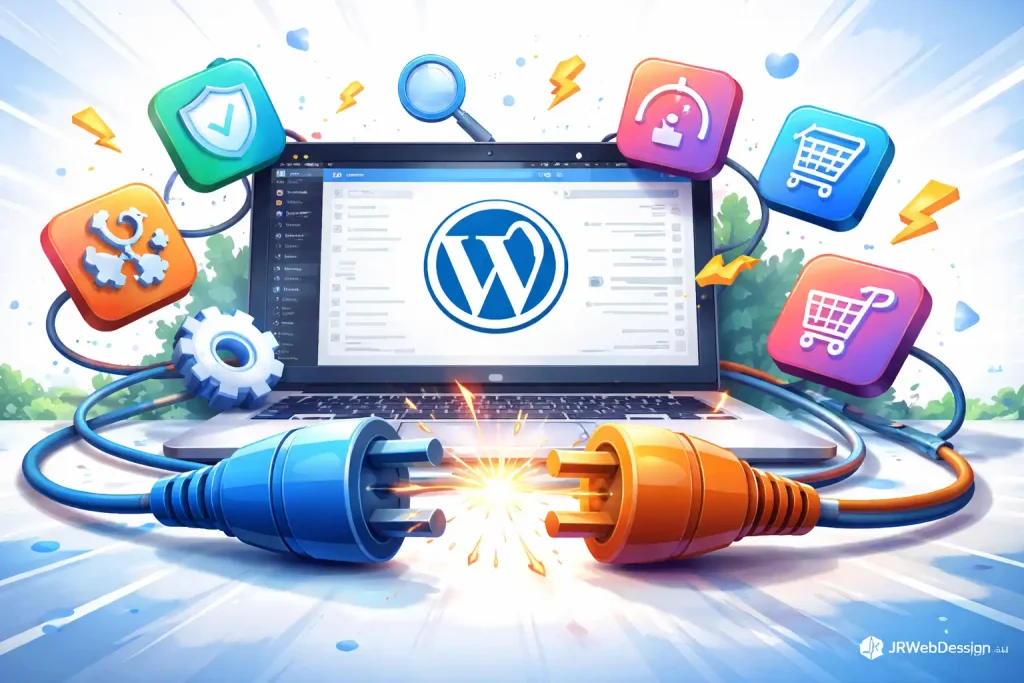
When you start using WordPress, one of the first things you’ll notice is the vast array of plugins available. These plugins can add functionality and enhance your website’s performance. However, with great flexibility comes potential issues, namely plugin conflicts. In this article, we’ll explore what these conflicts are, how to avoid them, and some tips for modern WordPress design that can help you achieve better results.
What Are WordPress Plugin Conflicts?
A WordPress plugin conflict occurs when two or more plugins don’t work well together. This can lead to various issues, such as your website breaking, certain features not functioning, or even causing your site to load slowly. It’s crucial to grasp the roots of these conflicts, as they can impact everything from user experience to SEO and site performance. Understanding the underlying causes can help you proactively address potential issues before they escalate. Conflicts can manifest in various ways, including error messages, unexpected behavior, or even complete site outages, making it imperative for site owners to be vigilant.
Common Causes of Plugin Conflicts
Numerous factors can lead to plugin conflicts. One common issue arises when two plugins attempt to modify the same functionality. For instance, if two plugins are trying to manage redirects, they might interfere with each other’s settings. Outdated plugins can also cause conflicts, as they may not be compatible with the latest version of WordPress. Additionally, poorly coded plugins might introduce errors that disrupt the overall functionality of your site. Sometimes, the way plugins interact with themes can also lead to conflicts, especially if a theme has its own built-in features that overlap with plugin functionalities. Moreover, conflicts can arise from JavaScript errors or CSS conflicts, which can be tricky to diagnose and resolve without a thorough understanding of coding principles.
How to Avoid Plugin Conflicts
To sidestep plugin conflicts, start by choosing your plugins wisely. Always check the reviews and ratings before installing a new plugin, and ensure it’s regularly updated. You should also limit the number of plugins you use. While it’s tempting to add every feature you want, fewer plugins mean a lower chance of conflicts. Before adding a new plugin, test it in a staging environment to see if it interacts well with your existing plugins. Regularly updating your plugins and WordPress core is essential as well, as updates often contain bug fixes and compatibility improvements. Furthermore, consider reaching out to the plugin developers if you encounter issues; they may offer insights or solutions that can prevent conflicts. Also, familiarize yourself with the plugin’s support forums, as many users share similar experiences and solutions that can be beneficial.
Maintaining Plugin Performance
Performance issues can also stem from plugin conflicts. If your site is running slow, it may be worth investigating whether a specific plugin is the culprit. Use performance monitoring tools to identify which plugins might be causing delays. Deactivate plugins one at a time to see if performance improves. This method allows you to pinpoint the source of the problem and take action accordingly. Maintaining a well-optimised website not only improves user experience but also benefits your SEO efforts. Additionally, consider using caching plugins that can help reduce loading times and improve site speed by serving static versions of your pages. Implementing Content Delivery Networks (CDNs) can further enhance your site’s performance by distributing the load, making it faster for users globally. Remember, a sluggish site can lead to high bounce rates and lost visitors, so regular performance checks are crucial.
Security Considerations
Security is another critical aspect of using plugins. Some plugins may not be adequately secured, making your site vulnerable to attacks. Always choose plugins from reputable developers and ensure they have good track records. Regularly check for updates, as vulnerabilities are often patched in newer versions. Consider using security plugins that can help identify and mitigate potential risks. Keeping your site secure is just as important as its performance and functionality. Additionally, implementing strong user authentication methods and regularly monitoring your site for suspicious activity can further enhance your website’s security posture. Utilize security features such as two-factor authentication and regular security audits to ensure your plugins don’t open backdoors for malicious attacks. Educating yourself on common security threats can also empower you to make informed choices regarding plugin installations.
Modern WordPress Design Angle
When thinking about modern WordPress design, it’s essential to consider how your plugins will affect the overall aesthetic and functionality of your site. A well-designed website should not only look good but also perform seamlessly. Choose plugins that align with your design goals and enhance the user experience rather than clutter it. For instance, if you’re using a page builder plugin, ensure it works harmoniously with your theme and other design elements. Modern design often embraces minimalism, so avoid using too many plugins that could overwhelm your site. Integrating plugins that focus on speed and responsiveness can lead to a more enjoyable browsing experience for your visitors. Additionally, consider using plugins that facilitate A/B testing, allowing you to refine your design based on real user interactions and preferences. The integration of visual elements should complement the content rather than distract, maintaining a balance that engages visitors effectively.
Additionally, consider how plugins can help with visual aspects of your website. For example, sliders or gallery plugins can enhance your design, but they should be used judiciously to avoid slow page loads. Always keep your audience in mind; an aesthetically pleasing website that offers easy navigation will ultimately keep users engaged and coming back. Moreover, ensure that any plugin you choose is optimized for mobile devices, as a significant portion of web traffic comes from mobile users. A responsive design, combined with effective plugin use, can dramatically improve user retention and satisfaction. Implementing plugins that allow for dynamic content can also contribute positively to user engagement, offering a personalized experience that resonates with visitors.
Regular Maintenance
Routine maintenance is crucial for avoiding and resolving plugin conflicts. Schedule regular checks to ensure all plugins are up to date. Monitor your site’s performance consistently, and always back up your site before making significant changes. This way, if something goes wrong during updates or new plugin installations, you can easily revert to a previous version. Documentation of plugin changes can also help you track what works well and what doesn’t. This practice not only aids in troubleshooting but allows you to build a more stable and efficient site over time. Additionally, consider implementing a change log for your website, detailing any updates or modifications made. This will be beneficial in instances where you need to diagnose issues or revert to earlier configurations. Developing a maintenance plan that includes scheduled reviews and updates can help ensure that your site remains in optimal condition, reducing the likelihood of conflicts and performance issues.
Conclusion
Understanding WordPress plugin conflicts is essential for any website owner. By choosing your plugins wisely, maintaining regular updates, and considering modern design principles, you can create a website that is not only functional but also visually appealing. Remember that your site’s performance, security, and maintenance are all interconnected. By keeping these factors in mind, you’ll be well-equipped to navigate the world of WordPress plugins with confidence. Ultimately, a proactive approach to plugin management can lead to a smoother, more successful online presence. Embracing best practices in plugin selection and management will not only enhance your site’s functionality but also foster a positive user experience that encourages repeat visitors and engagement.