
WordPress Article
Advanced Ecommerce Architecture for Scalable Stores, Essential WordPress
Learn advanced ecommerce architecture for scalable stores with practical advice on implementation, performance, security, SEO, and scalable website workflows for better results.
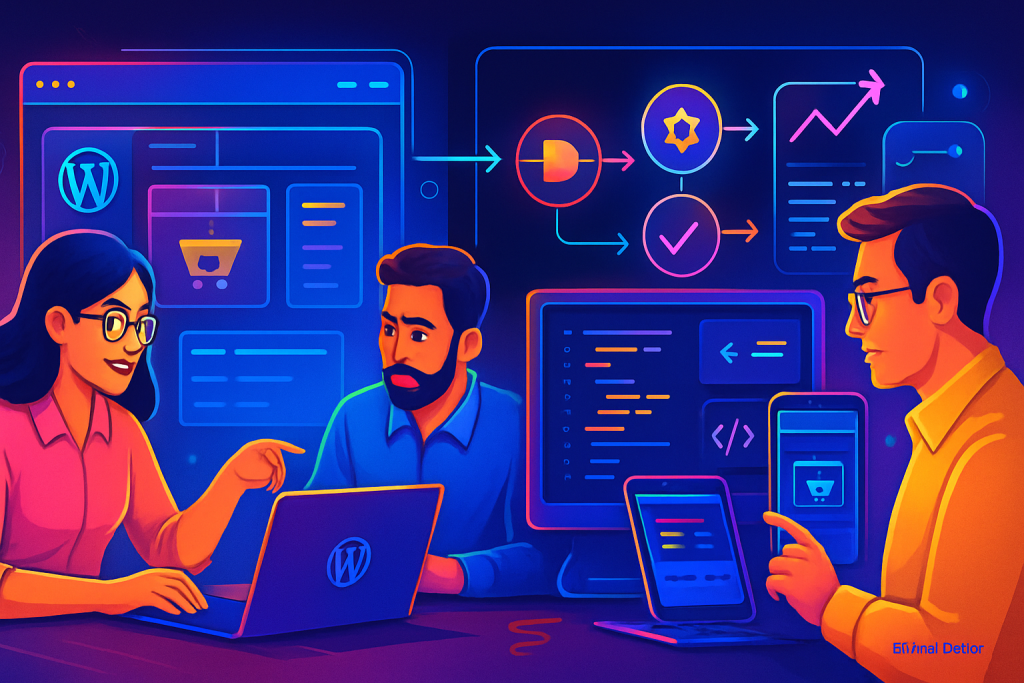
Introduction to Ecommerce Architecture
In the competitive world of online retail, having a robust ecommerce architecture is crucial for scalability and success. For beginners and small business owners, understanding how to build a scalable store using WordPress can seem daunting. However, with the right plugins and design strategies, you can create an efficient and effective online store that grows with your business.
Why Choose WordPress for Ecommerce?
WordPress is a leading content management system, and its flexibility makes it an excellent choice for ecommerce. With its vast range of plugins and themes, WordPress allows you to tailor your online store to meet your specific needs while maintaining simplicity and ease of use. Additionally, the large community of developers continuously contributes to its ecosystem, ensuring that you have access to the latest tools and trends.
Core Components of Advanced Ecommerce Architecture
Building a scalable ecommerce store involves several key components:
- Plugins: Essential tools that enhance functionality.
- Performance Optimization: Ensuring your site loads quickly.
- Security Measures: Protecting your business and customers.
- SEO Strategies: Improving your visibility in search engines.
- Design Elements: Ensuring a user-friendly experience.
Essential WordPress Plugins for Ecommerce
Here are some powerful WordPress plugins that can help you build a scalable ecommerce store:
1. WooCommerce
WooCommerce is the most popular ecommerce plugin for WordPress. It provides everything you need to sell products online, from product listings to payment processing. It’s highly customizable with numerous add-ons available. The extensive documentation and community support make it easy for users to troubleshoot issues and enhance functionality.
2. WP Rocket
For performance optimisation, WP Rocket is a must-have. This caching plugin improves your site’s loading speed, crucial for keeping customers engaged and reducing bounce rates. In addition to caching, it provides options for minification and lazy loading, further enhancing site performance.
3. Wordfence Security
Security is paramount in ecommerce. Wordfence offers comprehensive protection through firewalls, malware scans, and login security features, ensuring your store remains secure. Regular security audits and breach detection can provide peace of mind for store owners.
4. Yoast SEO
To improve your visibility, Yoast SEO helps you optimise your content for search engines. With an easy-to-use interface, it guides you in enhancing your website’s SEO. The plugin provides real-time analysis of your content, offering suggestions for improvement based on the latest SEO practices.
5. Elementor
A powerful page builder, Elementor allows you to create stunning product pages and landing pages without needing coding skills. It offers a wide range of templates and design flexibility. The drag-and-drop interface makes it easy to experiment with layouts until you find the perfect design for your store.
Setting Up Your Ecommerce Plugins
Installing and setting up plugins is straightforward. Here’s a simple process:
- From your WordPress dashboard, navigate to Plugins > Add New.
- Search for the plugin you want, like WooCommerce.
- Click Install Now and then Activate.
- Follow the setup wizard for configuration.
After activation, it’s essential to configure each plugin according to your business needs. This could involve setting up payment gateways, shipping options, and tax settings in WooCommerce, for example. Ensure you take the time to adjust settings that align with your operational goals and customer preferences.
Performance Considerations
A scalable ecommerce store requires optimal performance. Here are some tips to ensure your site runs smoothly:
- Use a reliable hosting provider: Choose a provider that offers scalable resources.
- Minimise plugin overload: Only keep essential plugins to reduce load time.
- Regularly update your plugins: Ensure all plugins are up-to-date for best performance.
- Implement a Content Delivery Network (CDN): This can speed up load times for international customers.
- Optimize images: Use image compression plugins to reduce file sizes without sacrificing quality.
Security Essentials for Your Ecommerce Store
Security should be a top priority for any ecommerce business. Here are some best practices:
- Use HTTPS: Ensure your website has an SSL certificate to encrypt data.
- Regular backups: Use a backup plugin to regularly save your site’s data.
- Limit login attempts: This can help prevent brute force attacks.
- Regularly update themes and plugins: This ensures vulnerabilities are patched.
- Enable two-factor authentication: Adding an extra layer of security can protect against unauthorized access.
SEO Strategies for Scalable Stores
To attract traffic and grow your store, implement these SEO strategies:
- Keyword research: Use tools like Google Keyword Planner to find relevant keywords.
- Optimise product descriptions: Write unique descriptions that include target keywords.
- Use alt text for images: Helps with accessibility and SEO.
- Build backlinks: Create quality content that attracts links from reputable sites.
- Utilise social media: Share products and content to drive traffic and improve SEO rankings.
Modern WordPress Design Angle
Design plays a critical role in user experience. A modern WordPress design should be clean, responsive, and intuitive. Here are some key aspects to consider:
- Mobile Responsiveness: Ensure your store looks great on all devices.
- Easy Navigation: Use clear menus and categories to help users find products quickly.
- High-quality Images: Use stunning images that highlight your products.
- Consistent Branding: Ensure your design reflects your brand identity across all pages.
- Engaging Call-to-Actions: Use buttons and prompts that guide users toward making a purchase.
A modern design not only attracts customers but also keeps them engaged, leading to higher conversion rates. It’s essential to stay updated with design trends and user preferences to ensure your store remains appealing. One emerging trend is the use of minimalistic design, which focuses on simplicity and functionality, allowing products to shine without overwhelming users.
Maintenance for Long-term Success
To keep your ecommerce store running smoothly, regular maintenance is essential. Here’s what you should do:
- Regular updates: Keep your WordPress, themes, and plugins up to date.
- Monitor website speed: Use tools like Google PageSpeed Insights to check performance.
- Check for broken links: Regularly test links to avoid losing potential customers.
- Review analytics: Use Google Analytics to understand customer behaviour and adapt your strategies.
- Engage with customers: Collect feedback to improve your store experience.
Additionally, consider conducting A/B testing on various aspects of your website, such as layout, product placement, and promotional banners. This can provide valuable insights into what resonates most with your audience, allowing you to make data-driven decisions that enhance user experience and increase conversions.
Conclusion
Building a scalable ecommerce store on WordPress involves more than just installing plugins. It requires thoughtful planning, ongoing maintenance, and a focus on performance and security. By utilising the right plugins, optimising for speed, and implementing solid design principles, you can create an online store that not only meets your current needs but is also prepared for future growth. Start with the essentials and evolve as your business grows, ensuring you are always one step ahead in the competitive ecommerce landscape. Continuous learning and adaptation are key in the ever-changing world of ecommerce. Investing in your store’s architecture today will pay dividends tomorrow, as you create a platform that not only serves your customers but also nurtures your business’s ambitions.