
WordPress Article
WordPress Image Gallery Plugins for Portfolio Sites
Learn WordPress image gallery plugins for portfolio sites with practical advice on setup, performance, SEO, and a small modern WordPress design angle for better results.
Why Use Image Gallery Plugins?
Image gallery plugins are essential for portfolio sites as they allow for the presentation of images in a structured and aesthetically pleasing way. Instead of cluttering your page with single images, these plugins enable you to create galleries that are easy to navigate. This not only improves user experience but also can enhance the overall appeal of your site. A well-organised gallery can captivate visitors, making them more likely to explore your work further. This is particularly important for professionals in creative fields where visual impact is paramount.
Choosing the Right Plugin
When selecting an image gallery plugin, consider the specific needs of your portfolio site. Some options are more suited for artistic photography, while others cater to professionals like tradies or service providers. Look for plugins that allow you to customise layouts, styles, and functionalities without needing extensive coding knowledge. Features like drag-and-drop interfaces can significantly simplify the setup process, enabling you to focus on what matters—your content.
Popular options include Envira Gallery, NextGEN Gallery, and FooGallery. Each of these has unique features that can benefit different kinds of portfolios. For example, Envira Gallery is known for its speed and ease of use, making it a great choice for those who want a quick setup with high performance. Additionally, some plugins offer advanced features such as social media integration, allowing you to share your galleries easily across platforms, thereby increasing your reach.
Setting Up Your Image Gallery
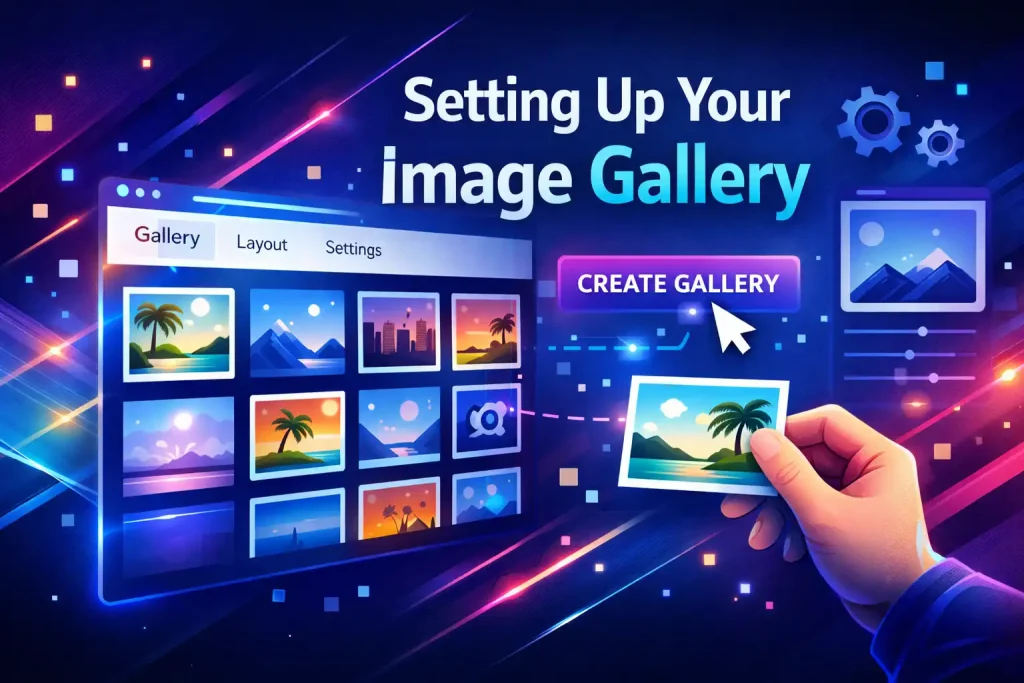
Generally, the setup process for image gallery plugins is straightforward. After installing and activating your chosen plugin, you’ll typically find a new menu option in your WordPress dashboard. From there, you can create a new gallery by uploading images directly or selecting them from your media library. It’s beneficial to familiarise yourself with the plugin’s documentation, as this can offer insights into advanced features you might want to leverage.
Make sure to organise your images logically. You can categorise them based on project types or themes to make navigation easier for your visitors. Additionally, consider the aspect ratios of your images to ensure a cohesive look across the gallery. This attention to detail can create a more professional appearance and keep your audience engaged longer. Don’t forget to preview your gallery to ensure everything looks as intended before publishing.
Optimising Performance
Performance is vital for keeping your site user-friendly. Large image files can slow down your site, which can lead to higher bounce rates. Before uploading images, make sure to compress them without sacrificing quality. Plugins like Smush or EWWW Image Optimizer can help automate this process. By optimising your images, you not only improve loading times but also enhance the overall user experience, which can lead to increased engagement and conversions.
Furthermore, consider using lazy loading features that many gallery plugins offer. This ensures that images load only as they come into view, which enhances page load times and overall performance. Faster loading times can also positively impact your SEO rankings, as search engines favour sites that load quickly. Keeping an eye on your website’s performance through tools like Google PageSpeed Insights can provide valuable feedback on areas for improvement.
SEO Considerations
Search Engine Optimisation (SEO) is critical for driving traffic to your portfolio site. Make sure to add alt text to your images, as this not only helps with accessibility but also provides search engines with context for your visuals. Crafting descriptive alt text can enhance your SEO strategy by helping your images rank in search results, bringing more organic traffic to your site.
Some gallery plugins allow you to set SEO-friendly URLs for your galleries, and this can significantly impact your site’s discoverability. Regularly updating your content and images can also improve your ranking on search engines. Consider creating blog posts that highlight your gallery work, as this can create additional backlinks and improve your overall site authority.
Security and Maintenance
When using any plugin, security should be a priority. Regularly update your image gallery plugin and other plugins to ensure that you have the latest security patches. Additionally, it’s wise to keep backups of your site, especially before making major changes such as plugin updates. A reliable backup solution can save you from potential data loss, allowing you to quickly restore your site if anything goes wrong.
Monitor your site for any unusual activity or performance issues that may arise from plugin conflicts. With the right maintenance habits, you can ensure that your portfolio site remains secure and functional. Consider implementing a security plugin that offers features like firewall protection and malware scanning, providing an additional layer of security for your site.
Modern WordPress Design Angle
Modern WordPress design focuses heavily on user experience and aesthetic appeal. When integrating an image gallery, aim for a design that complements your branding. Use consistent colour schemes and typography throughout your galleries to create a seamless look. This consistency not only enhances your brand identity but also helps in building trust with your audience.
Modern designs often lean towards minimalism, so consider using negative space effectively around your galleries to allow images to stand out. Responsive design is also non-negotiable; make sure your galleries look great on all devices, from desktops to smartphones. A mobile-optimised gallery is essential, as a significant portion of web traffic now comes from mobile devices.
Remember, a well-designed gallery can significantly enhance the perception of your work. Integrating hover effects, transitions, and animations can also add a contemporary touch while keeping user engagement high. These small design elements can create a more dynamic and interactive experience for your visitors, making them more likely to share your work.
Conclusion
Image gallery plugins are invaluable tools for anyone looking to create a visually stunning portfolio site. By focusing on the right plugin, optimising for performance, and considering modern design principles, you can create an impressive online presence that showcases your work effectively. With careful selection and regular maintenance, your portfolio can evolve alongside your business and continue to attract new clients. An effective portfolio isn’t just about showcasing your best work; it’s about creating an experience that resonates with your audience, compelling them to connect with you and your services.