
WordPress Article
WordPress Footer Design That Feels Professional
A practical guide to WordPress footer design that feels professional, including real WordPress theme advice, usability, speed, and a focused modern design section.
Introduction
Your website’s footer often gets overlooked, but it can be a powerful tool for enhancing professionalism. A well-designed footer can improve user experience, bolster your brand, and even contribute to SEO. In this guide, we will explore practical tips for creating a footer that feels professional using WordPress.
Understanding the Importance of a Professional Footer
The footer is typically the last thing users see when they scroll down a page. This real estate is valuable. Here are some reasons why a professional footer matters:
- Enhances credibility: A well-structured footer can instil trust in your visitors.
- Improves navigation: Including important links makes it easier for users to find what they need.
- Supports SEO: Search engines crawl footers, so including relevant keywords can help your ranking.
Essential Elements for Your Footer
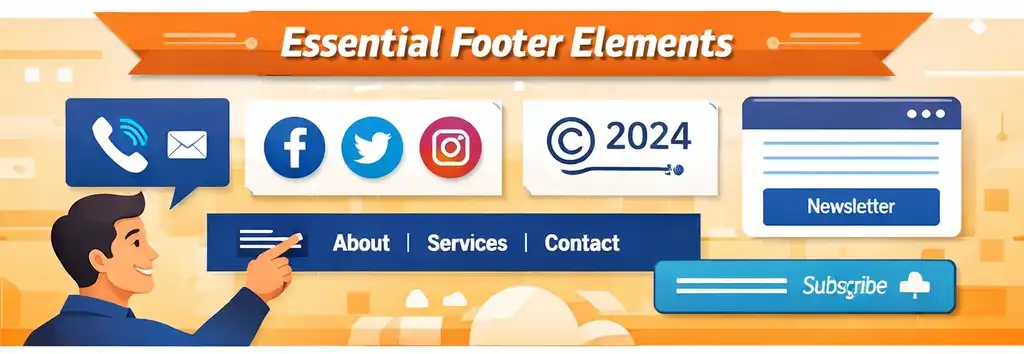
To create a footer that resonates professionalism, include the following elements:
- Contact Information: Make it easy for potential clients to reach you.
- Social Media Links: Connect with your audience on other platforms.
- Copyright Notice: Protect your content and establish ownership.
- Navigation Links: Include links to important pages like ‘About Us’ or ‘Services.’
- Newsletter Signup: Encourage visitors to stay in touch.
Choosing the Right WordPress Theme
Your footer design is often determined by the WordPress theme you choose. Here are a few recommendations that offer professional-looking footers:
- Astra: Fast and flexible, Astra allows for custom footer designs.
- OceanWP: Provides multiple footer layout options.
- Divi: A powerful builder with extensive footer customisation options.
When selecting a theme, ensure it is responsive and looks good on mobile. A significant portion of web traffic comes from mobile devices, so your footer should remain functional and appealing on smaller screens.
Modern WordPress Design Angle
Modern WordPress design focuses on clean layouts, intuitive navigation, and readability. A professional footer should incorporate these elements while also considering aesthetics. Here are some modern design tips for your footer:
- Minimalistic Approach: Avoid clutter. Use whitespace effectively to separate elements.
- Typography: Use clear fonts that are easy to read. Stick to a maximum of two font types.
- Colour Scheme: Ensure your footer aligns with your brand colours for consistency.
Modern footers often blend seamlessly into the overall design of the website, making them feel like a natural extension of your brand. The integration of visual hierarchy can also guide users’ eyes to the most important information, enhancing usability.

A professional footer isn’t just about how it looks; it should also function well. Here are a few tips to enhance user experience:
- Clickable Links: Ensure all links are functional and direct users to the right pages.
- Mobile Responsiveness: Test your footer on various devices to ensure it looks good everywhere.
- Loading Speed: Avoid overly complex designs that may slow your site down.
Incorporating user feedback can also provide valuable insights into how your footer is performing. Regularly reviewing analytics can help you understand which links are most clicked and which elements may need adjustment.
Using WordPress Plugins for Footer Design
Sometimes, customising your footer might require additional functionality. Here are some WordPress plugins that can help you enhance your footer:
- Elementor: A drag-and-drop builder that allows you to create custom footers.
- WPForms: Great for adding newsletter sign-up forms in your footer.
- Custom Footer: Lets you create unique footers for different pages.
When using plugins, consider their impact on site speed. Choose well-optimised plugins to avoid slowing down your website. Additionally, keeping your plugins updated is crucial for security and functionality.
Common Mistakes to Avoid in Footer Design
Even small businesses can fall into certain traps when designing footers. Here are some common mistakes to steer clear of:
- Overcrowding: Don’t cram too much information into your footer; less is often more.
- Neglecting Mobile Design: Ensure your footer works well on mobile devices.
- Ignoring SEO: Use relevant keywords and phrases to enhance visibility.
Avoiding these pitfalls can help you create a footer that not only looks professional but also serves a functional purpose. Regularly solicit feedback from users about their experience with your footer to identify areas for improvement.
Additional Best Practices for Footer Design
In addition to the essential elements and common mistakes mentioned earlier, consider these best practices to further enhance your footer design:
- Consistent Branding: Maintain a consistent style across your footer that reflects your brand identity, including logos and taglines.
- Accessibility: Ensure that your footer is accessible to all users, including those with disabilities. Use descriptive link text and proper contrast ratios.
- Interactive Elements: Consider adding interactive elements like a mini-map of your location or a dynamic FAQ section to engage users more effectively.
By implementing these best practices, you can create a footer that not only meets professional standards but also resonates well with your target audience.
Measuring Footer Effectiveness
To ensure that your footer design is effective, you should regularly measure its performance. Use analytics tools to track user interactions with footer elements. Look for metrics such as:
- Click-through rates on links
- Newsletter sign-up conversions
- Time spent on footer elements
This data can guide you in making informed adjustments to improve user engagement and overall effectiveness.
Conclusion
Designing a footer that feels professional is an essential part of building a trustworthy website. By focusing on usability, aesthetics, and the right tech, you can create a footer that enhances user experience and boosts your brand’s credibility. Whether you’re a small business owner or a tradie, investing the time into your footer design is a step towards achieving your online goals. Remember, the footer is not just a final touch; it is a critical element that can influence user engagement and retention.