
WordPress Article
Category Page Design for Easier Product Discovery: Practical Tips for WordPress Success
A practical guide to category page design for easier product discovery, including UX, accessibility, speed, conversion, and modern website design decisions for better results.
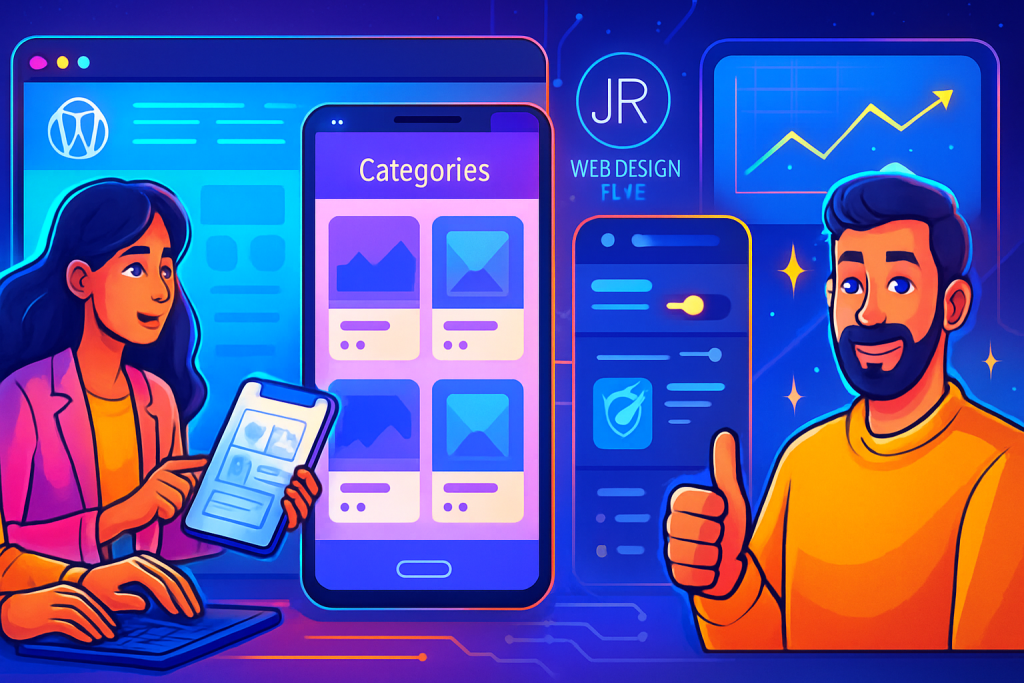
A Practical Guide for Small Business Owners
Category Page Design for Easier Product Discovery
In today’s fast-paced online environment, having a well-designed category page is crucial for enhancing product discovery on your WordPress website. As we dive into the essentials of category page design, we will explore practical strategies to improve user experience, accessibility, and conversion rates.
Why Category Pages Matter
Your category pages serve as the gateway to your products. They help users navigate through your offerings and find what they need quickly. A well-structured category page not only enhances user satisfaction but also boosts your chances of conversion. Here’s why focusing on category page design is essential:
- Improved User Experience: A clean and intuitive layout helps users find products effortlessly.
- Better SEO: Well-optimised category pages can improve your site’s search engine rankings.
- Increased Sales: A seamless shopping experience often leads to higher conversion rates.
Understanding User Needs
Before diving into design, it is important to understand the needs of your users. Conducting user research can provide invaluable insights. Here are some key user needs to keep in mind:
- Easy Navigation: Users want to find products quickly and without confusion.
- Clear Information: They need sufficient details to make purchasing decisions.
- Visual Appeal: Attractive designs can engage users and keep them on your site longer.
Key Elements of Effective Category Pages
When designing your category pages, consider the following essential elements:
1. Clean Layout
A cluttered page can overwhelm users. Keep your layout simple and focused. Use a grid system to display products neatly.
2. Clear Product Images
High-quality images are crucial. Ensure your product images are clear and visually appealing. Users should be able to see details easily.
3. Descriptive Titles and Short Descriptions
Use clear titles and concise descriptions to help users understand product features quickly. Avoid jargon and be straightforward.
4. Filter and Sort Options
Allow users to filter products based on criteria like price, colour, and size. Sorting options can help them find the right items faster.
5. Pagination vs. Infinite Scroll
Decide whether to use pagination or infinite scroll wisely. Pagination helps users keep track of where they are, while infinite scroll can enhance the browsing experience.
Optimising for Accessibility
Accessibility should be a priority in your design. Ensure that your category pages are usable for everyone, including those with disabilities. Here are some tips:
- Use Alt Text for Images: Make sure all images have descriptive alt text.
- Keyboard Navigation: Ensure your pages can be navigated using a keyboard.
- Contrast Ratios: Use contrasting colours to enhance readability.
Mobile-First Design Considerations
More users are shopping on mobile devices than ever before. Therefore, your category pages must be mobile-friendly. Here are some mobile-first design tips:
- Responsive Layout: Ensure elements resize properly on smaller screens.
- Touch-Friendly Elements: Buttons and links should be easy to tap.
- Quick Load Times: Optimize images and scripts to enhance speed.
Modern WordPress Design Angle
WordPress offers a plethora of themes and plugins specifically geared towards enhancing category page design. Here’s how to take advantage of modern WordPress capabilities:
- Theme Selection: Choose a responsive theme that offers flexibility in design and layout. Themes like Astra or OceanWP provide excellent customisation options.
- Plugins for Functionality: Use plugins like WooCommerce for eCommerce functionalities or Elementor for drag-and-drop design ease. These tools can significantly enhance category page layouts.
- Custom CSS: If you feel confident, apply custom CSS to tweak designs further, ensuring that your pages stand out.
- Performance Optimisation: Use caching plugins like WP Rocket or W3 Total Cache to improve load speeds.
Measuring Success
After implementing your category page design, it’s essential to measure its success. Use tools like Google Analytics to track user behaviour. Pay attention to metrics like:
- Page Views: How many users visit your category pages?
- Bounce Rate: Are users leaving quickly?
- Conversion Rates: Are users purchasing products after visiting category pages?
Analysing these metrics can help you refine your design and improve user experience. Additionally, consider implementing heatmaps to visually represent where users are clicking and how they navigate through your category pages.
Enhancing User Engagement
Engagement is key to retaining visitors on your category pages. Here are practical strategies to enhance user interaction:
- Related Products: Display related products to encourage users to explore more options.
- User Reviews: Incorporate customer reviews to build trust and help users make informed decisions.
- Promotional Banners: Use banners for discounts or promotions to catch users’ attention.
A/B Testing for Continuous Improvement
A/B testing is a powerful method to refine your category pages. By testing different layouts, images, or calls to action, you can identify what resonates best with your audience. Here’s how to implement A/B testing:
- Identify Variables: Choose one element to test at a time, such as button colour or product arrangement.
- Use A/B Testing Tools: Platforms like Google Optimize can help you set up tests easily.
- Monitor Results: Track how each variation performs over a set period.
Using A/B testing will provide insights into user preferences, enabling you to make data-driven decisions that enhance the overall user experience.
Additional Strategies for Category Page Success
Beyond the fundamental design aspects, there are several advanced strategies you can implement to further enhance your category pages:
1. Utilize Schema Markup
Implementing schema markup can help search engines understand your products better, leading to rich snippets in search results. This can improve click-through rates significantly.
2. Create Informative Content
Consider adding a blog section or guides related to your products. This can provide users with valuable information and improve SEO, driving more traffic to your category pages.
3. Leverage Social Proof
Showcase testimonials or user-generated content to build trust. When potential buyers see positive feedback from others, they are more likely to make a purchase.
4. Integrate Chat Support
Adding a chat feature can help users get immediate answers to their questions, enhancing their shopping experience and potentially increasing conversion rates.
Closing Thoughts
Designing an effective category page for your WordPress site is not just about aesthetics; it’s about creating a seamless experience for users. By focusing on clean layouts, accessibility, and modern design principles, you can enhance product discovery and drive conversions. Investing time in optimising your category pages will pay off in the long run. Start implementing these strategies today, and watch your business grow!