
Employee Onboarding System Dashboard
Note: This plugin can be a small or a larger as required!
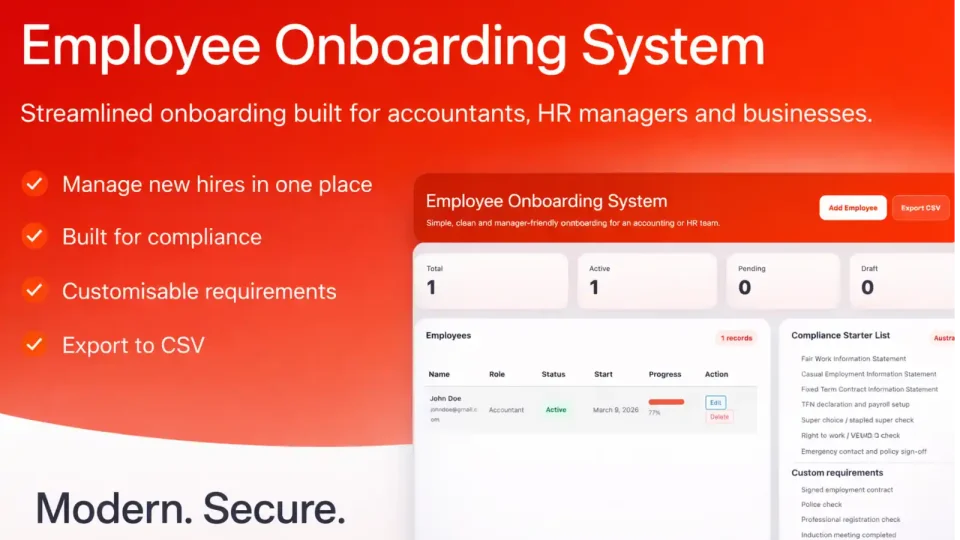
The Employee Onboarding System is a modern WordPress plugin designed for accountants and HR managers to streamline new staff setup. It centralises employee records, compliance checks, and onboarding tasks in one dashboard. With custom requirements, progress tracking, and secure data handling, it helps businesses manage onboarding efficiently, professionally, and with greater confidence.
1. Employee Onboarding System Dashboard
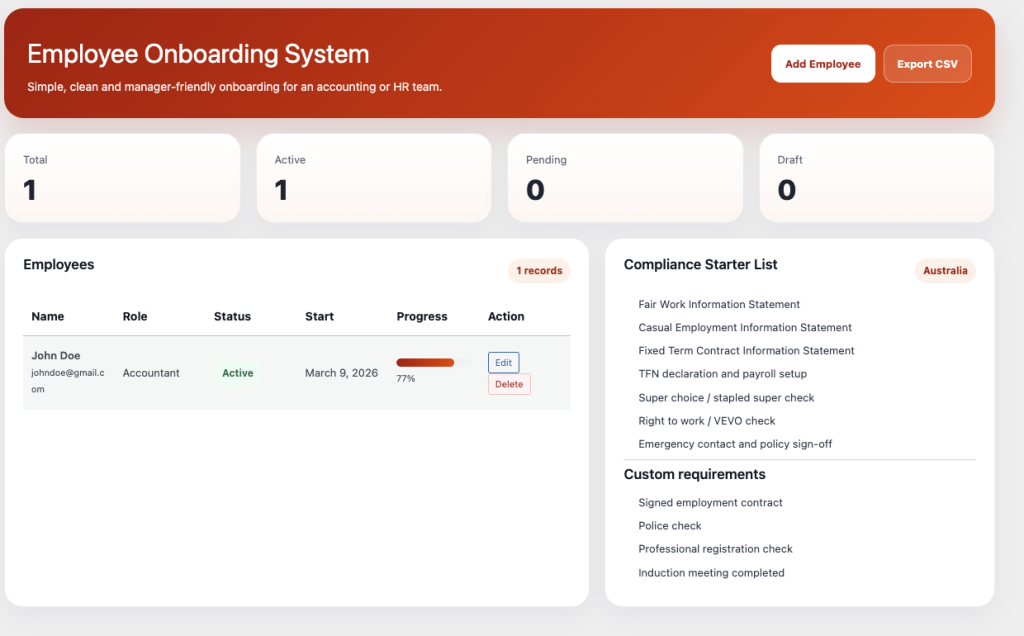
The Employee Onboarding System dashboard gives accounting firms and HR managers a clean, modern way to track every new starter from one screen. The layout is simple, but it covers the essentials that matter: employee status, progress, start dates, actions, and compliance requirements. For a busy manager, that means less paper, less confusion, and a clearer view of what still needs to be done.
This dashboard was designed with a minimal but colourful interface so it feels modern without becoming cluttered. Key figures such as total employees, active records, pending onboarding, and draft profiles are shown at the top, giving managers an instant snapshot of the current onboarding workload. The employee table keeps the most important information visible, while the compliance and custom requirement panels make sure nothing is missed.
From a code point of view, the plugin is built using standard WordPress PHP, HTML, CSS, and JavaScript, making it practical, stable, and easy to maintain. The structure follows a traditional WordPress plugin approach, with admin pages, form handling, data storage, and export functions separated clearly for easier updates in the future.
Security is important in any HR or accounting workflow. The plugin is built with WordPress capability checks, nonce verification, sanitisation, and escaped output to help protect employee information and reduce common admin-side risks. That means form data is handled carefully, user permissions are respected, and exported data is controlled.
Implementation is straightforward. Upload the plugin ZIP, activate it in WordPress, open the onboarding menu in the admin area, and begin adding employee records. From there, a manager can track onboarding progress, monitor checklist completion, and export records when needed. It is a practical system built for real office use.
2. Add Employee Screen
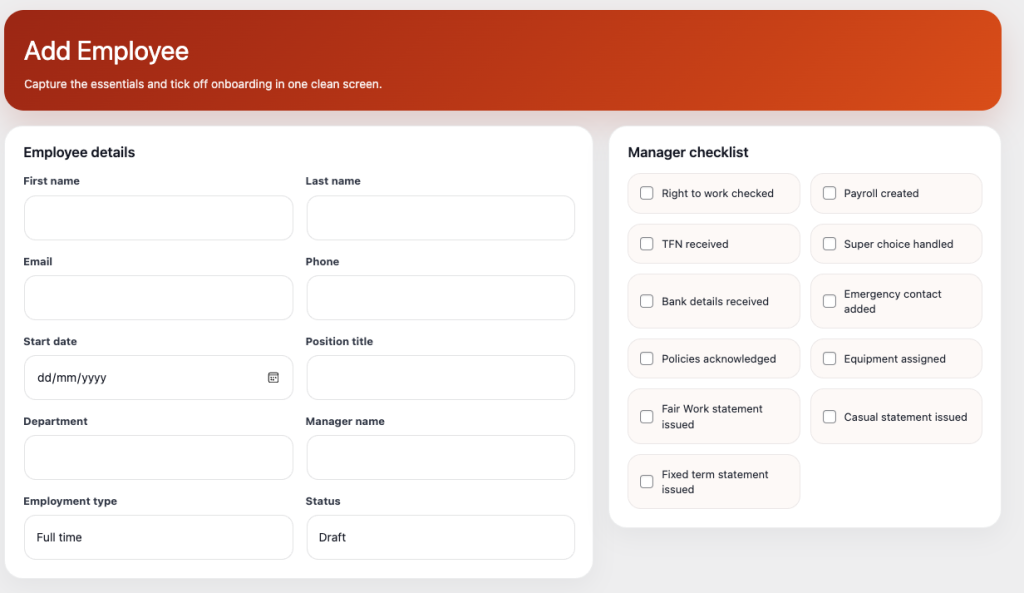
The Add Employee screen is where simplicity meets structure. Instead of using scattered notes, spreadsheets, or multiple HR tools, this screen allows managers to enter everything important in one organised workflow. Employee details, role information, start dates, status, checklist items, custom requirements, and notes are all kept together in a single clean interface.
This design is especially useful for accountants, payroll teams, and HR managers who need a dependable process for every employee. The screen makes it easier to collect the essentials from day one, while also supporting compliance-focused onboarding steps such as TFN collection, payroll setup, right-to-work checks, policy acknowledgement, and emergency contact setup.
The code structure is built for clarity. Fields are laid out using responsive HTML and CSS, while interactive actions such as checkbox tracking and workflow control are supported with JavaScript. On the server side, PHP handles saving, updating, and validating employee records inside WordPress. This keeps the plugin aligned with the platform and makes it easier to maintain over time.
Security has been considered from the ground up. Employee data is sensitive, so all form submissions should be processed using nonces, input sanitisation, and permission checks. Values displayed back into the admin interface should be escaped correctly to help prevent injection issues. These are the old-fashioned basics that still matter because they work.
Implementation is easy for a manager. After activation, staff can begin creating employee records immediately. The structured layout reduces missed steps, helps maintain consistency across onboarding, and gives the business a more professional internal process. It is a simple tool, but one designed to handle real responsibilities properly.
3. Custom Requirements and Notes Area
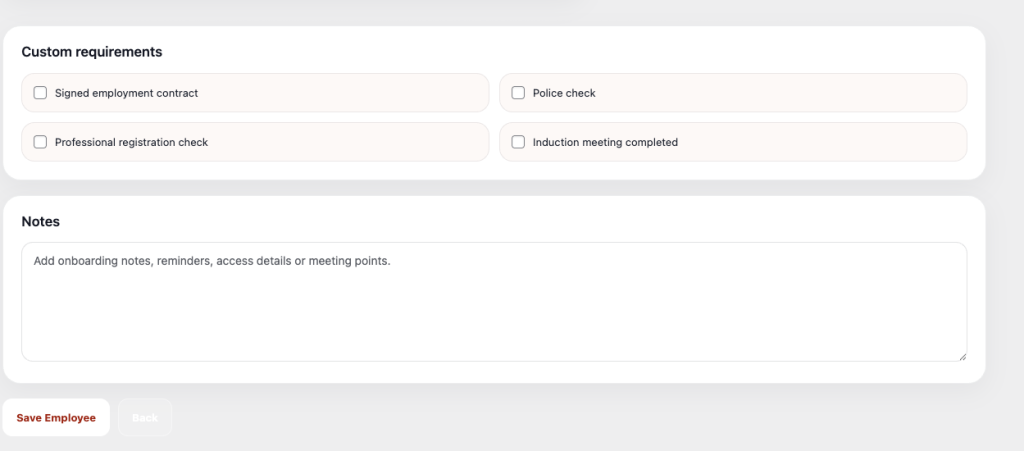
The Custom Requirements and Notes section is where this onboarding system becomes more flexible and far more useful for real businesses. Every accounting firm, HR department, or professional office has its own way of doing things. Some need police checks, some need industry registrations, some require signed contracts before access is granted. This section allows managers to include those extra steps without forcing everything into a generic template.
That flexibility matters. A good onboarding system should not only follow standard compliance steps — it should also adapt to the working style of the business. The custom requirements area lets managers record special tasks, while the notes panel provides space for reminders, meeting details, document follow-up, access instructions, and handover comments. It keeps important onboarding context in one place instead of buried in emails or handwritten notes.
From a development point of view, this part of the plugin uses a simple and practical structure. PHP stores the values, HTML presents a clear layout, CSS keeps the design clean and readable, and JavaScript supports user interaction where needed. The system is intentionally lightweight so it feels fast inside WordPress and does not become bloated.
Security and data handling are still critical here. Notes and custom fields can easily become a weak point in poorly built systems, so input should be sanitised on save and escaped on output. Access should be restricted to authorised admin users only. That keeps the plugin aligned with sound WordPress development practice and helps protect internal HR information.
Implementation is simple. Managers define their requirements in settings, then use them as part of each employee onboarding record. The result is a more tailored system that still remains easy to use. It gives the business structure where it needs it, and flexibility where it counts.
4. Settings Screen
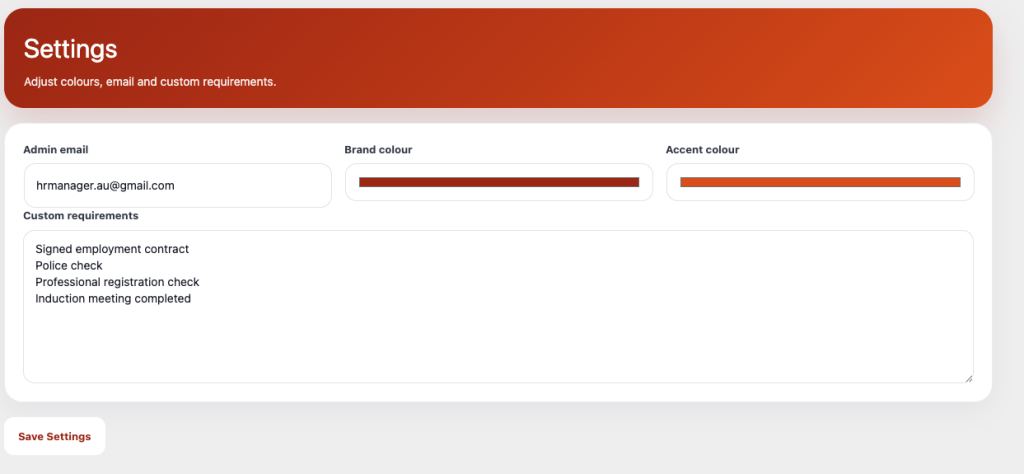
The Settings screen gives the Employee Onboarding System a polished, business-ready finish. It allows managers or administrators to set the admin email, adjust brand colours, and define custom requirements for the onboarding process. This means the plugin is not locked into one rigid style — it can be matched to the office workflow and visual identity of the business.
For accounting and HR teams, this matters more than it may first appear. A system that looks professional and reflects the organisation feels more trustworthy and more complete. The settings page also saves time by allowing reusable requirements to be entered once and applied again and again across employee records. That keeps onboarding consistent and reduces repeated manual setup.
The plugin uses a straightforward WordPress-friendly code base. PHP handles saving the settings, HTML builds the fields, CSS keeps the design modern and minimal, and JavaScript can support colour preview or small interactive improvements. This traditional structure makes the system easier to update, extend, and troubleshoot later.
Security is handled through proven WordPress methods. Settings should be protected with nonce checks, admin capability validation, and proper sanitisation before values are stored. Output should be escaped when shown in the admin area. These simple disciplines are the foundation of secure plugin development and remain the right way to build dependable business tools.
Implementation is quick. Once the plugin is activated, the administrator opens the settings page, enters the business email, chooses brand colours, and defines custom onboarding requirements. From that point on, the plugin becomes tailored to the business and ready for day-to-day use. It is a strong example of practical WordPress development: modern in appearance, careful in structure, and built for real work.