
WordPress Article
Improving Website Accessibility with Semantic HTML and ARIA: Practical Guidance for WordPress Users
Learn improving website accessibility with semantic HTML and ARIA with practical advice on implementation, performance, security, SEO, and scalable website workflows for better results.
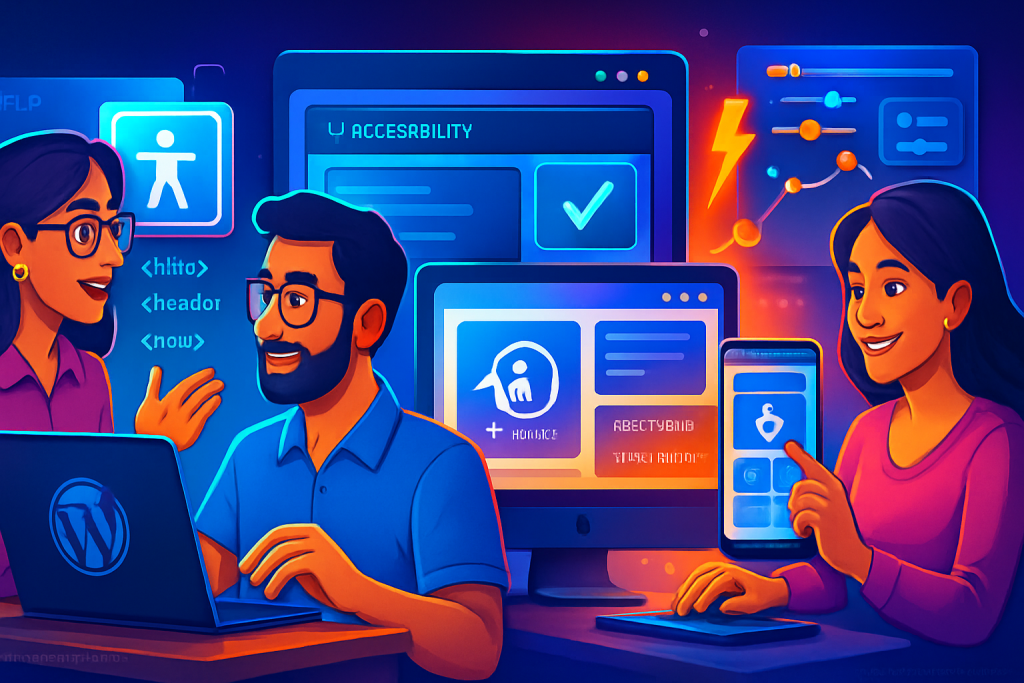
Improving Website Accessibility with Semantic HTML and ARIA
In today’s digital landscape, making your website accessible is not just a nice-to-have—it’s a necessity. If you’re a small business owner, tradie, or just getting started with your website, understanding how to improve accessibility can significantly affect your reach and usability. In this article, we will explore how semantic HTML and ARIA (Accessible Rich Internet Applications) can elevate your website’s accessibility.
What is Semantic HTML?
Semantic HTML refers to using HTML markup to reinforce the meaning of the content contained in your web pages. Unlike traditional HTML, which focuses solely on presentation, semantic HTML provides context. This is crucial for assistive technologies, like screen readers used by visually impaired users.
For example, using <header>, <nav>, <article>, and <footer> tags not only benefits search engines but also helps users understand the layout of your site. When you create a clear structure, it becomes easier for all users to navigate your content.
The Importance of ARIA
ARIA stands for Accessible Rich Internet Applications. It’s a set of attributes that you can add to HTML to improve the accessibility of complex web applications, like those using dynamic content or advanced user interface controls.
While ARIA is beneficial, it’s essential to use it wisely. Overusing ARIA can lead to confusion. It should be a supplement to semantic HTML, not a replacement. When used effectively, ARIA can provide additional context for assistive technologies.
Practical Use Cases for Semantic HTML and ARIA
Now that we understand the basics, let’s look at practical applications:
- Form Labels: Ensure that every form field has a corresponding label. Use the
<label>element and link it using theforattribute. This helps screen readers identify form fields correctly. - Navigation: Use semantic markup for navigation menus. Employ
<nav>tags around your links to make it clear that these elements are part of the site’s navigation. - Landmark Roles: Apply ARIA landmark roles to indicate sections like banners, navigation, and content. This helps users of assistive technology quickly jump to specific areas of your page.
Choosing the Right WordPress Plugins
WordPress offers various plugins that make it easier to implement semantic HTML and ARIA attributes. Here are some recommendations:
1. WP Accessibility
This plugin offers several features to improve accessibility, like adding skip links, alt text for images, and ARIA roles. It’s straightforward to set up and configure.
2. AccessibleWP Toolbar
The AccessibleWP Toolbar helps you test your website’s accessibility. It provides options to adjust fonts, contrast, and other usability functions for a better experience.
3. WP Accessibility Helper
This plugin enables you to add accessibility features without needing to modify code directly. It includes options for contrast adjustments, text resizing, and ARIA support.
Performance and Security Considerations
While enhancing accessibility, it’s crucial to maintain your website’s performance and security. Here are a few tips:
- Evaluate Plugins: Choose only the plugins you need. Excessive plugins can slow down your site and increase security vulnerabilities.
- Monitor Site Speed: Use tools like Google PageSpeed Insights to analyse your site’s performance. Accessibility shouldn’t come at the cost of speed.
- Keep Everything Updated: Regularly update your WordPress version, themes, and plugins to protect against security threats.
Modern WordPress Design Angle
As we move towards a more user-centric web, modern WordPress design principles align well with accessibility. Here are some key points:
- Responsive Design: Ensure your website is mobile-friendly. This is not just good for SEO but also enhances accessibility for users on various devices.
- Consistent Layout: Use grids and consistent layouts to guide users naturally through your site, making it easier for everyone, including those with cognitive disabilities.
- Clear Typography: Select fonts that are readable and accessible. High contrast between text and background can significantly improve readability for many users.
By incorporating these modern design practices, you can create a website that is both visually appealing and accessible.
Ongoing Maintenance and Best Practices
Improving accessibility is not a one-time task. It requires ongoing effort and maintenance. Here are some best practices to keep in mind:
- Regular Audits: Use tools like WAVE or Axe to periodically check your website for accessibility compliance.
- User Testing: Get real feedback from users, especially those with disabilities. Their insights can help you identify areas for improvement.
- Continuous Learning: Stay updated with accessibility standards and practices. The web is constantly evolving, and so should your knowledge.
The Role of Content in Accessibility
Content plays a pivotal role in ensuring your website is accessible. It’s not just about the HTML structure; the way information is presented matters greatly. Here are some content-related considerations:
Use Clear Language: Avoid jargon and complex sentences. Simple language helps all users, especially those with cognitive disabilities, understand your content better.
Headings and Subheadings: Properly structured headings not only aid in navigation but also help screen readers convey the content’s hierarchy. Use <h1> for the main title, followed by <h2>, <h3>, etc., to create a logical flow.
Alt Text for Images: Always provide descriptive alt text for images. This allows screen readers to convey what the image represents, enhancing the experience for users who cannot see the visuals.
Transcripts and Captions: If you have audio or video content, include transcripts and captions. This ensures that users who are deaf or hard of hearing can access the information.
By focusing on content accessibility, you’re not just adhering to guidelines; you’re making your website a more inclusive space for everyone.
Future Trends in Accessibility
As technology evolves, so do the methods for ensuring accessibility. Here are some future trends to keep an eye on:
AI and Machine Learning: These technologies can help automate accessibility checks and suggest improvements based on user behavior and preferences.
Voice User Interfaces (VUIs): As voice search and commands become more prevalent, ensuring that your content is easily accessible via voice will be crucial.
Data-Driven Accessibility: Utilizing analytics to gauge how users interact with your site can provide insights into where accessibility improvements are needed.
By staying abreast of these trends, you can ensure that your website remains accessible in an ever-changing digital landscape.
Enhancing User Experience Through Accessibility
Accessibility is not merely about compliance; it’s about enhancing user experience. Here are ways you can achieve this:
Intuitive Navigation: Ensuring that your navigation is straightforward can significantly enhance user experience. This includes clear labeling of links and logical menu structures, which benefit all users, especially those relying on assistive technologies.
Customizable User Experience: Allow users to adjust settings like font size, color contrast, and layout. This gives them control over their browsing experience and can significantly improve usability.
Feedback Mechanisms: Implementing feedback forms can help gather insights from users about their experiences. This data can guide future enhancements and ensure that your website evolves with user needs.
By prioritizing user experience alongside accessibility, you can create a website that not only meets legal requirements but also delights users.
Conclusion
Improving website accessibility with semantic HTML and ARIA is essential for creating an inclusive online experience. By utilising these tools and principles, you can enhance not only the usability of your site but also increase your reach and engagement. Remember that accessibility benefits everyone, and making these improvements can lead to a more successful online presence.
Related posts
- Website Wireframing for Medium to Advanced Projects: A Practical Guide for Small Businesses and Service Owners
- Designing Website Headers That Stay Useful On Scroll: A Practical Guide for Modern WordPress Design
- Advanced Website Search Implementation For Larger Content Libraries: Tips for Beginners and Small Businesses