
WordPress Article
Membership Plugins for WordPress Business Websites That Grow Revenue
Learn membership plugins for WordPress business websites with practical advice on setup, performance, SEO, and a small modern WordPress design angle for better results.

Unlock Your Website’s Potential
Membership Plugins for WordPress Business Websites
As businesses evolve, so do their needs. If you run a small business, a service-based company, or any online platform that aims to engage users more deeply, membership plugins for WordPress can be a game-changer. They help you create a community around your brand, offering exclusive content, resources, and services to your members. This guide will take you through the ins and outs of using membership plugins effectively.
What are Membership Plugins?
Membership plugins enable you to build a subscription-based model on your website. Through these plugins, you can manage user registrations, access control, and payment processing seamlessly. Users can sign up for free or paid memberships, gaining access to exclusive content. This not only incentivizes users to engage with your offerings but also provides a structured way to monetize your content.
Why Use Membership Plugins?
Membership plugins can transform your website into a dynamic platform that not only attracts visitors but also builds a loyal customer base. They provide an avenue for recurring revenue through subscriptions, which is particularly beneficial for small businesses. Additionally, they can enhance user engagement and retention by offering members-only resources, discounts, and community interaction. Consider how these tools can create a sense of belonging among your users, fostering deeper connections with your brand.
Popular Membership Plugins
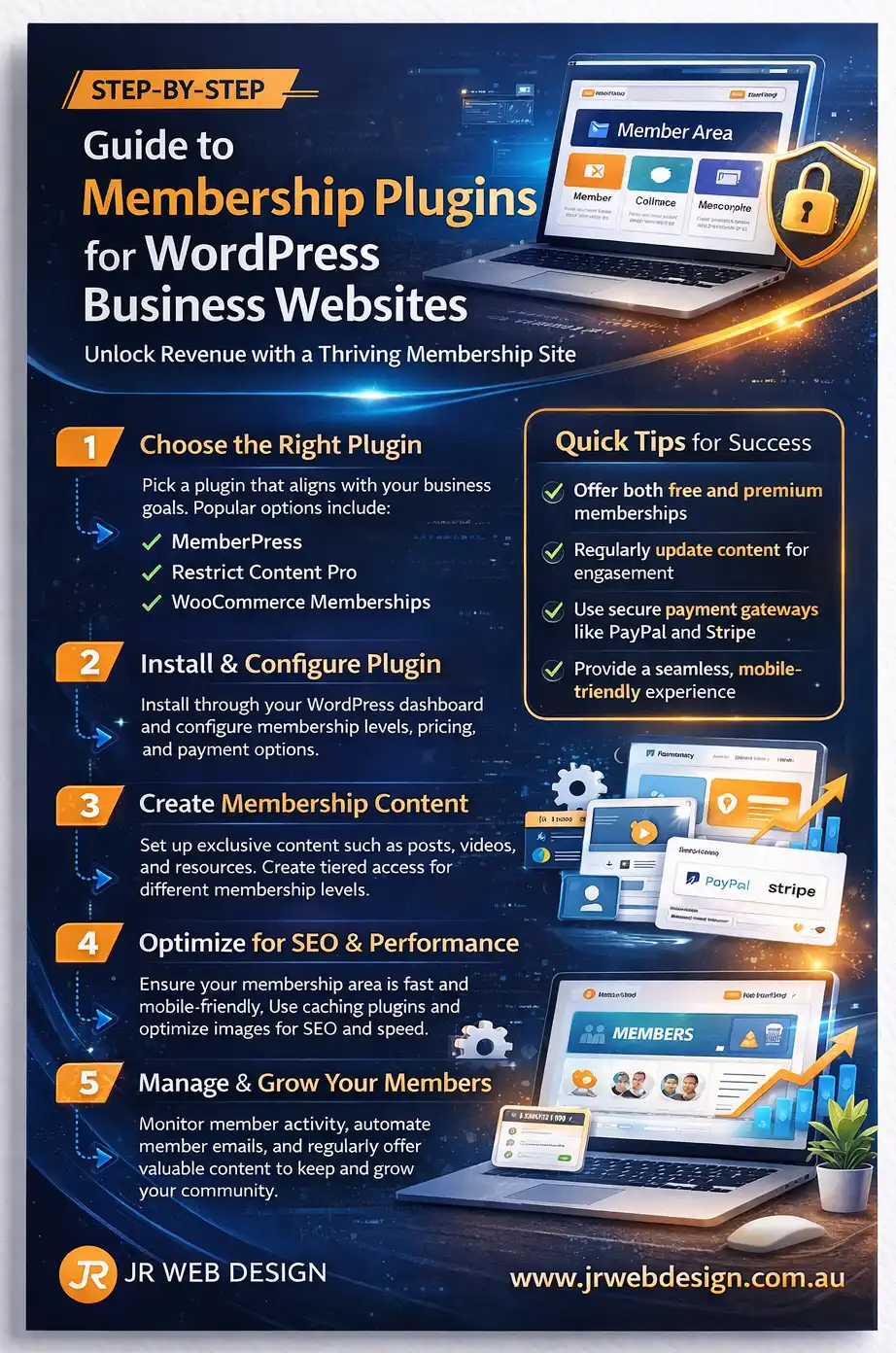
There are numerous membership plugins available for WordPress, each with its own unique features. Some popular options include MemberPress, Restrict Content Pro, and WooCommerce Memberships. These plugins offer various capabilities such as content restriction, member management, and integration with payment gateways. Each plugin is designed to cater to different business models, so understanding your specific needs will help you make the right choice.
Setting Up Your Membership Site
Starting with membership plugins can seem daunting, but breaking it down into steps can simplify the process. First, choose the right plugin based on your business needs. Consider factors like ease of use, cost, and available features. After selecting your plugin, install and activate it through your WordPress dashboard. From there, configure your settings, which typically include user registration, membership levels, and payment options. Make sure to test your setup before going live. A smooth user experience is crucial for retaining members.
Furthermore, think about how to structure your membership levels. This can range from basic access to premium tiers that offer deeper engagement or exclusive content. Customizing the experience based on member tiers not only enhances user satisfaction but also encourages users to upgrade for additional benefits.
Performance Considerations
Site performance is crucial for user retention and overall satisfaction. Membership plugins can be resource-intensive, especially if you have many users accessing content simultaneously. To maintain optimal performance, consider using a quality hosting provider and leveraging caching plugins. Regularly monitor your site’s speed and load times to ensure a seamless experience. A well-performing site reduces bounce rates and increases the likelihood of users returning to your platform.
Security and Maintenance
When running a membership site, security should be a top priority. Ensure that your site has an SSL certificate, which helps encrypt data transferred between users and your website. Regularly update your membership plugin, themes, and WordPress core to patch any vulnerabilities. Additionally, consider implementing two-factor authentication for added security, especially for users who manage sensitive information or payments on your site. A proactive approach to security will establish trust with your members, encouraging them to engage more fully with your content.
Modern WordPress Design Angle
In today’s digital landscape, a visually appealing website is essential for attracting and retaining users. Choose a membership plugin that supports a modern design, allowing you to create an engaging user interface. Look for plugins that offer customization options so you can align the membership area with your branding. Furthermore, consider how your design choices can enhance usability. For instance, a clean layout with clear navigation paths will make it easier for users to find what they’re looking for.
Additionally, focus on responsive design. Most users will access your website from mobile devices. A well-optimized mobile experience enhances user engagement and ensures that members can easily navigate your site. Incorporating modern design trends, such as minimalistic aesthetics and cohesive color schemes, can elevate the overall user experience. An intuitive layout that guides users through the registration and membership process can significantly affect conversion rates. Use modern typography and visuals to create a polished look that reflects your brand’s identity.
Choosing the Right Membership Plugin
With so many options available, how do you choose the right membership plugin for your WordPress business website? Start by defining your objectives. Do you want to provide exclusive content, charge for memberships, or both? Knowing your goals will guide your decision. Additionally, consider the long-term scalability of the plugin. Your business may grow, and your plugin should be able to accommodate increased traffic and additional features as needed.
Next, consider the features offered by each plugin. Some may allow you to create multiple membership levels, while others focus on content restriction. Look for a plugin that offers scalability in case your business expands. Dive into the specifics of what each plugin offers, from automation capabilities to marketing integrations, as these can add significant value to your membership strategy.
Read user reviews and watch tutorials to understand the plugin’s usability. A plugin may offer excellent features, but if it’s complicated to set up, it could hinder your progress. Make sure to choose a plugin with a strong support community or reliable customer service. This will ensure that you have assistance when implementing advanced features or troubleshooting issues.
Conclusion
Membership plugins can significantly enhance your WordPress business website, creating new revenue streams and fostering a dedicated community. Choosing the right plugin, focusing on site performance, and ensuring security are all key to a successful membership site. As you build your online presence, keep design and user experience in mind to ensure that your site not only functions well but also looks appealing. Remember, investing time in setting up a member-focused platform today can yield long-term rewards for your business. By leveraging the capabilities of membership plugins, you can cultivate a thriving online community that not only supports your business objectives but also enriches the user experience.